Reset Password
If you've forgotten your password, the BlitzTrader portal offers a simple and secure process to get you back into your account.
Step-by-Step Guide
1. Request a Password Reset
Start by clicking the "Forgot Password?" link on the main login screen.
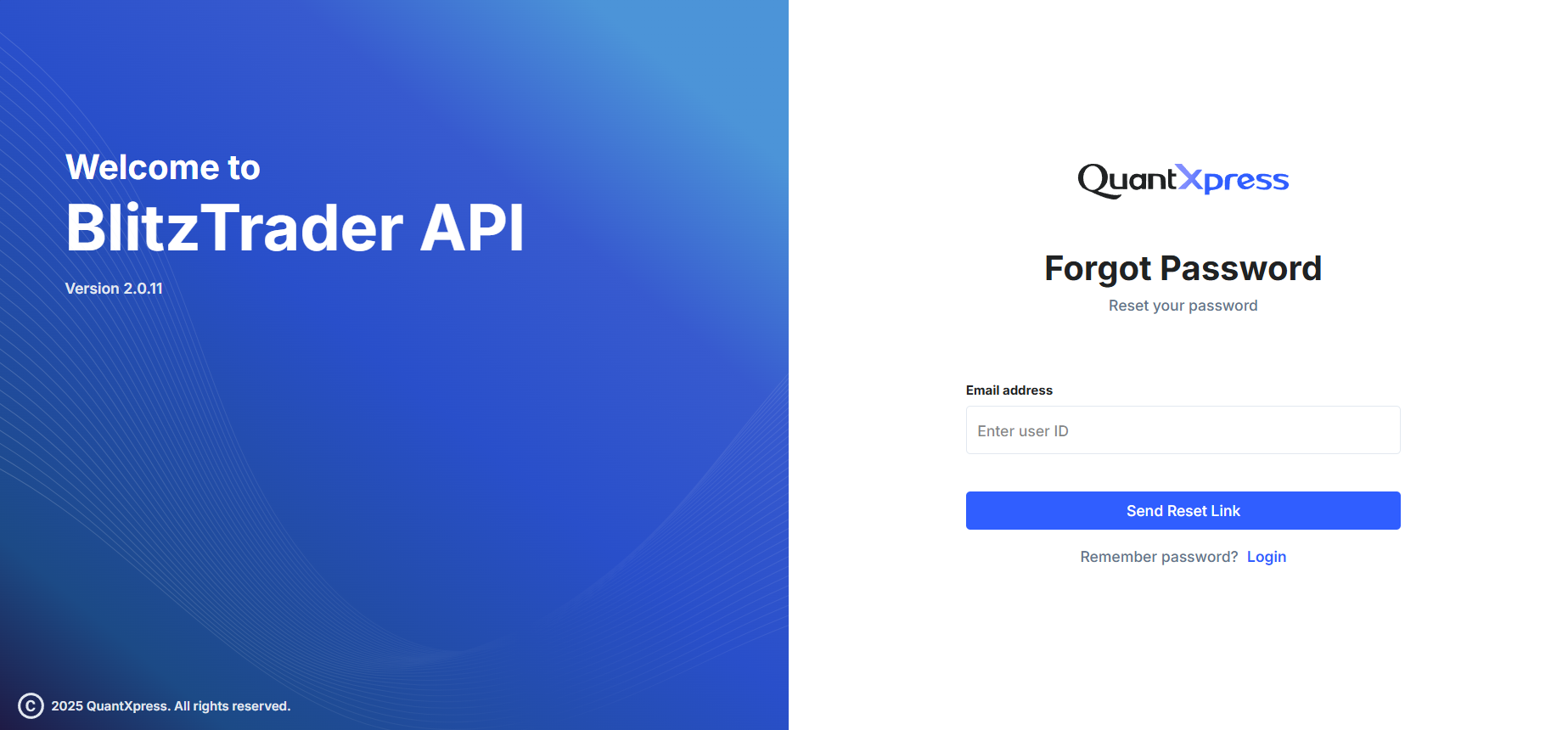
- Enter the Email Address / User ID associated with your BlitzTrader account.
- Click the Send Reset Link button.
Once submitted, the system will send a secure 4-digit OTP (One-Time Password) to your registered email address.
2. Enter OTP and New Password
After requesting the reset, you will be automatically redirected to the Reset Password screen.
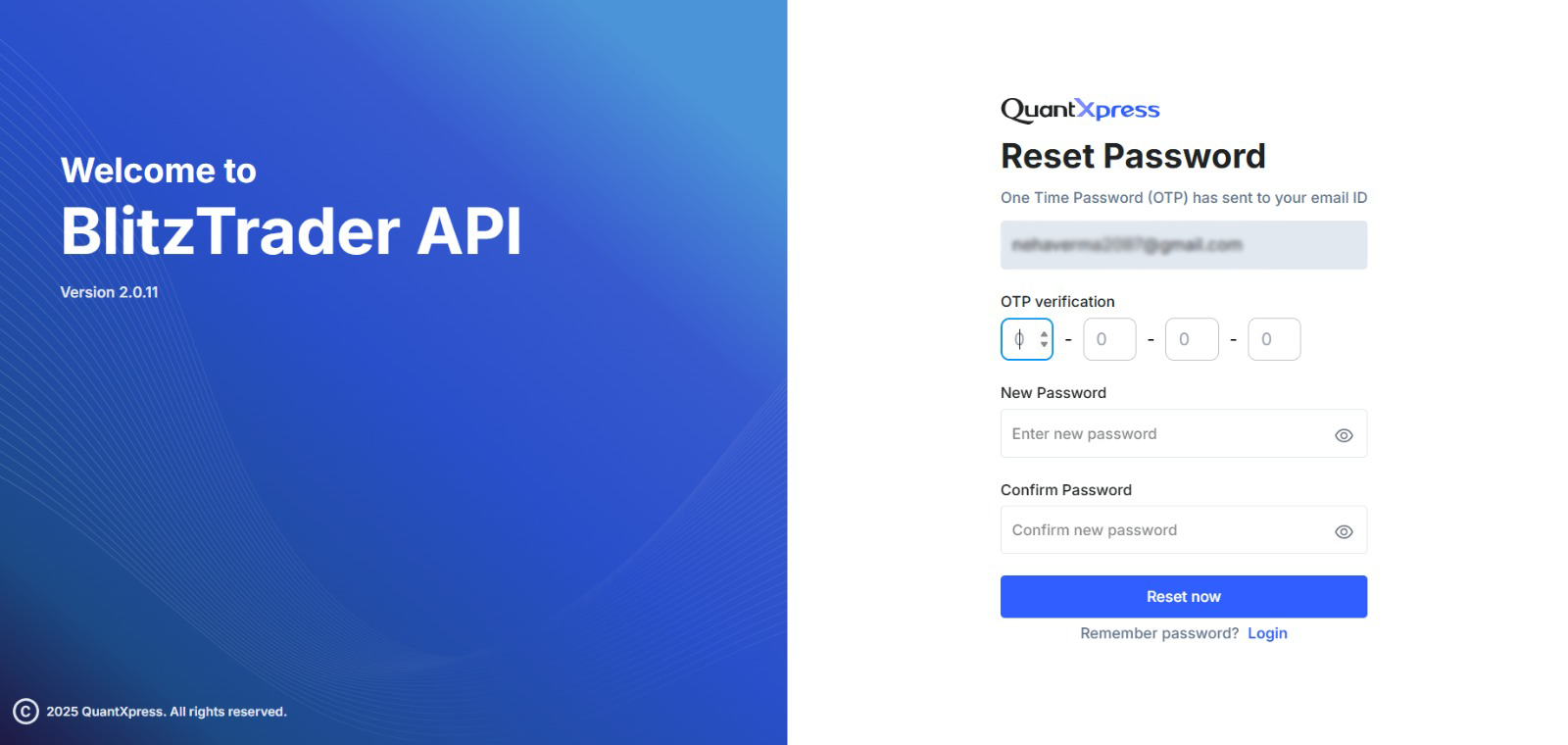
You will need to fill in the following details:
- OTP: Enter the 4-digit code sent to your email.
- New Password: Type in your new secure password.
- Confirm Password: Re-type the password to make sure there are no typos.
Password Guidelines
To keep your account secure, your password should: - Be at least 8 characters long. - Include both uppercase and lowercase letters. - Include at least one number and one symbol. - Avoid using personal info or previously used passwords.
Once everything is filled out, click Reset Now.
3. Log Back In
If your OTP is correct and your passwords match, you will see a success confirmation!
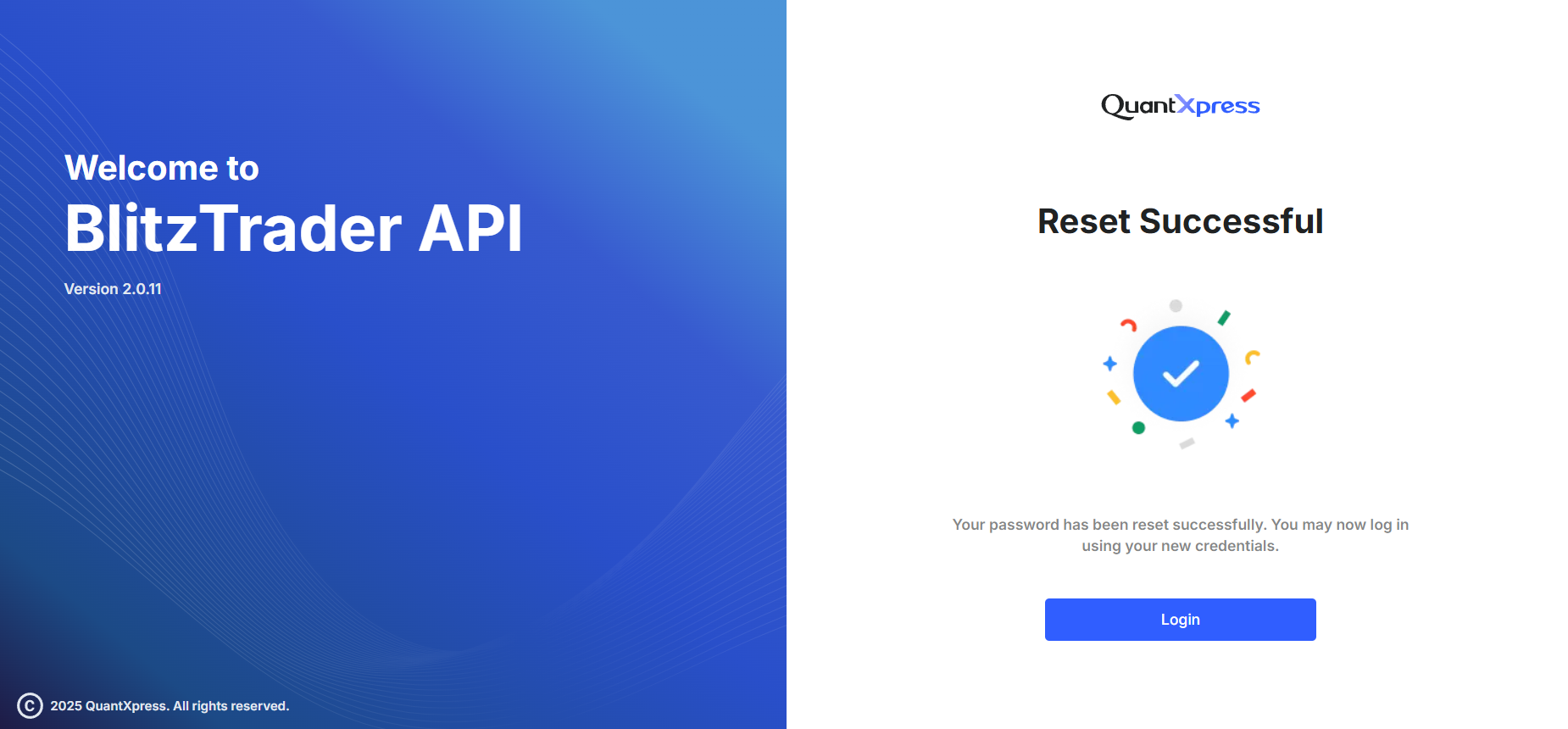
Your password has been successfully updated. Click the Login button to return to the main login screen and sign in with your new credentials.
Things to keep in mind
- Check your spam folder: If you don't see the OTP in your inbox, it might have been filtered.
- OTPs expire quickly: If your OTP expires before you use it, you will need to restart the process.
- Security alert: If you receive an OTP but didn't request a password reset, please contact QuantXpress Support immediately.