Motilal Oswal (MOFL) Adapter Documentation
This document provides step-by-step instructions for integrating Motilal Oswal (MOFL) with Blitz through the TPOMS MOFL Adapter, enabling seamless order management and trading operations.
Overview
The MOFL Adapter bridges Blitz and Motilal Oswal's OMS infrastructure, providing reliable order management capabilities and real-time order updates to support automated and manual trading workflows.
Prerequisites
Before you begin, ensure that:
- You have an active Motilal Oswal trading account
- API access is enabled for your account
- Your Client ID, Password, and API Key are issued by MOFL
- Your IP addresses are whitelisted with Motilal Oswal
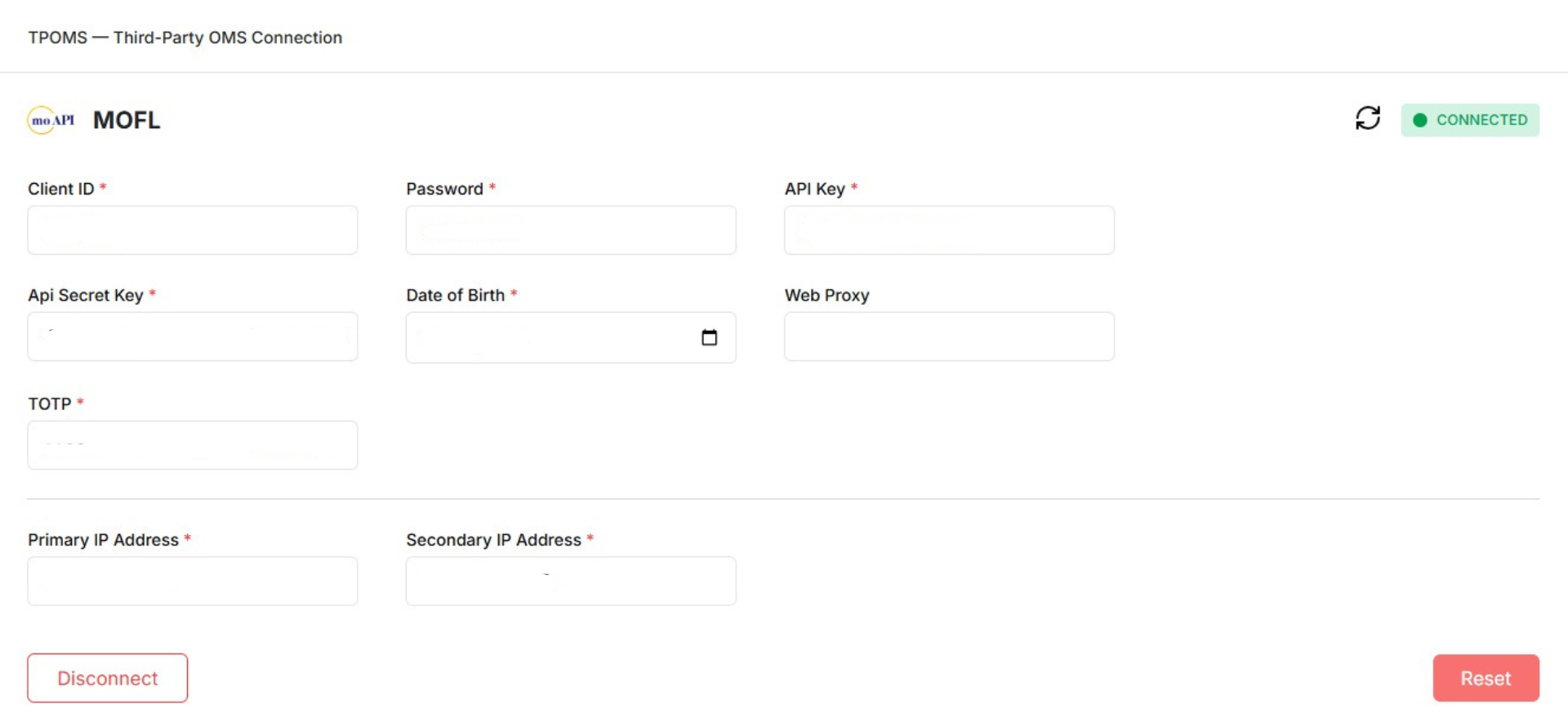
TPOMS MOFL Connection
Connection Details
| Field | Description |
|---|---|
| OMS Adapter | MOFL |
| Connection Type | TPOMS |
| Status | CONNECTED / DISCONNECTED |
Required Credentials
| Field | Description | Example |
|---|---|---|
| Client ID | Motilal Oswal client code | xyz |
| Password | Trading account password | ******** |
| API Key | MOFL-issued API key | xyz |
| Date of Birth | Account DOB (DD-MM-YYYY) | 20-09-1993 |
| Primary IP Address | Whitelisted IP | 122.160.82.52 |
| Secondary IP Address | Backup whitelisted IP | 122.160.82.52 |
Action
- Connect — Establishes a session with MOFL OMS.
Authentication Flow
- User enters MOFL credentials in TPOMS UI
- Blitz sends authentication request to MOFL
- MOFL validates:
- Client ID
- Password
- API Key
- DOB
- IP address
- On success, session is established
- MOFL adapter status becomes CONNECTED